# Debugging

Debugging is the secret art of the experienced developer. The ability to inspect stack traces, rifle through response objects, and dump data to the screen is often the quickest way to get yourself unstuck and back on track. Here are some tools Statamic provides to help you debug.

## Ignition debug screens

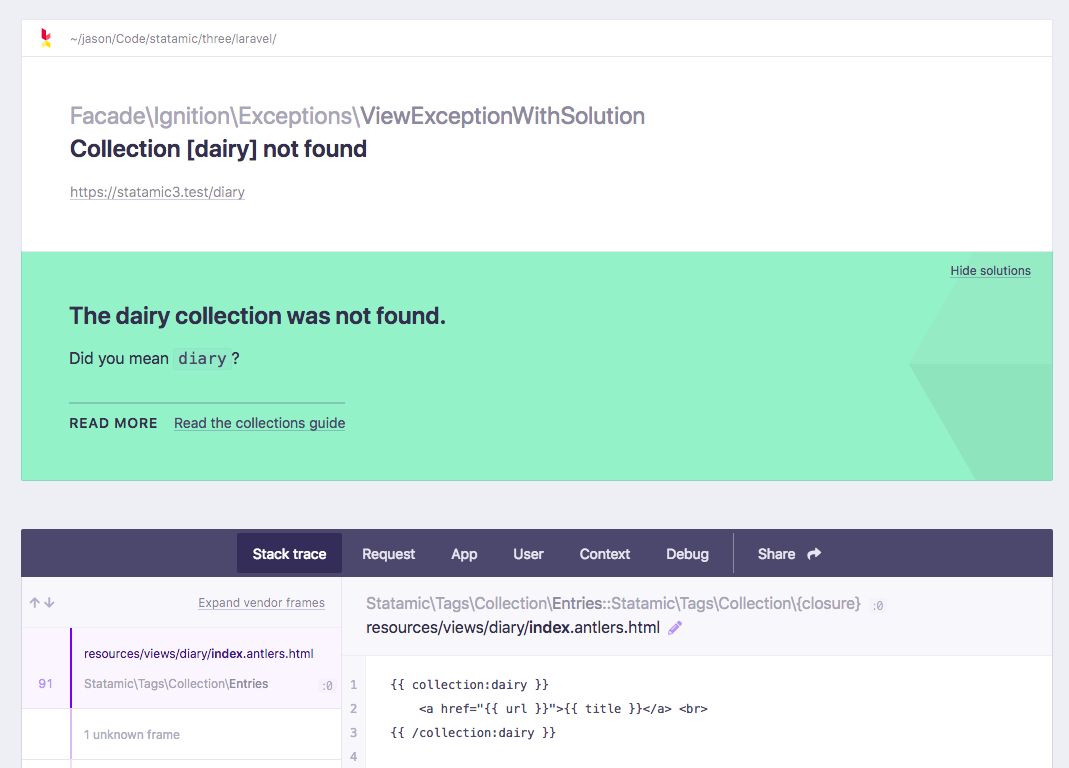
[Ignition][ignition] is an included Laravel package for debugging exceptions. It provides a clean and organized stack trace, code snippets, information about the request, and even the ability to share the error message with others.

To enable Ignition, set `APP_DEBUG=true` in your [.env](/configuration.md#environment-variables) file.

<figure>
    <img src="/img/ignition-collection.png" alt="Ignition error screen showing a typo in a collection tag.">
    <figcaption>This is Ignition. Isn't it pretty for an error screen?</figcaption>
</figure>

<div x-data="{ showClippy: false }">
    <p>Statamic will try to detect why you're receiving a specific exception and provide a <strong>solution</strong> for the problem along with a link to the most relevant documentation if possible. It's like <a href="" x-on:click.prevent="showClippy = true">Clippy</a>, but 80% less annoying.</p>
    <img src="/img/clippy-docs.gif" class="clippy" x-bind:class="{ 'visible': showClippy }">
</div>


## Fake SQL queries

By default, Statamic doesn't use a database, so our query builders don't actually execute SQL queries. However, we "fake" the queries so that they appear in your preferred debugging tools like [Ray](https://myray.app) or Debugbar (more on that below).

They are enabled when you're in debug mode, but if you'd like to disable them you can do so in `config/statamic/system.php`:

```php
'fake_sql_queries' => false,
```


## Debug bar

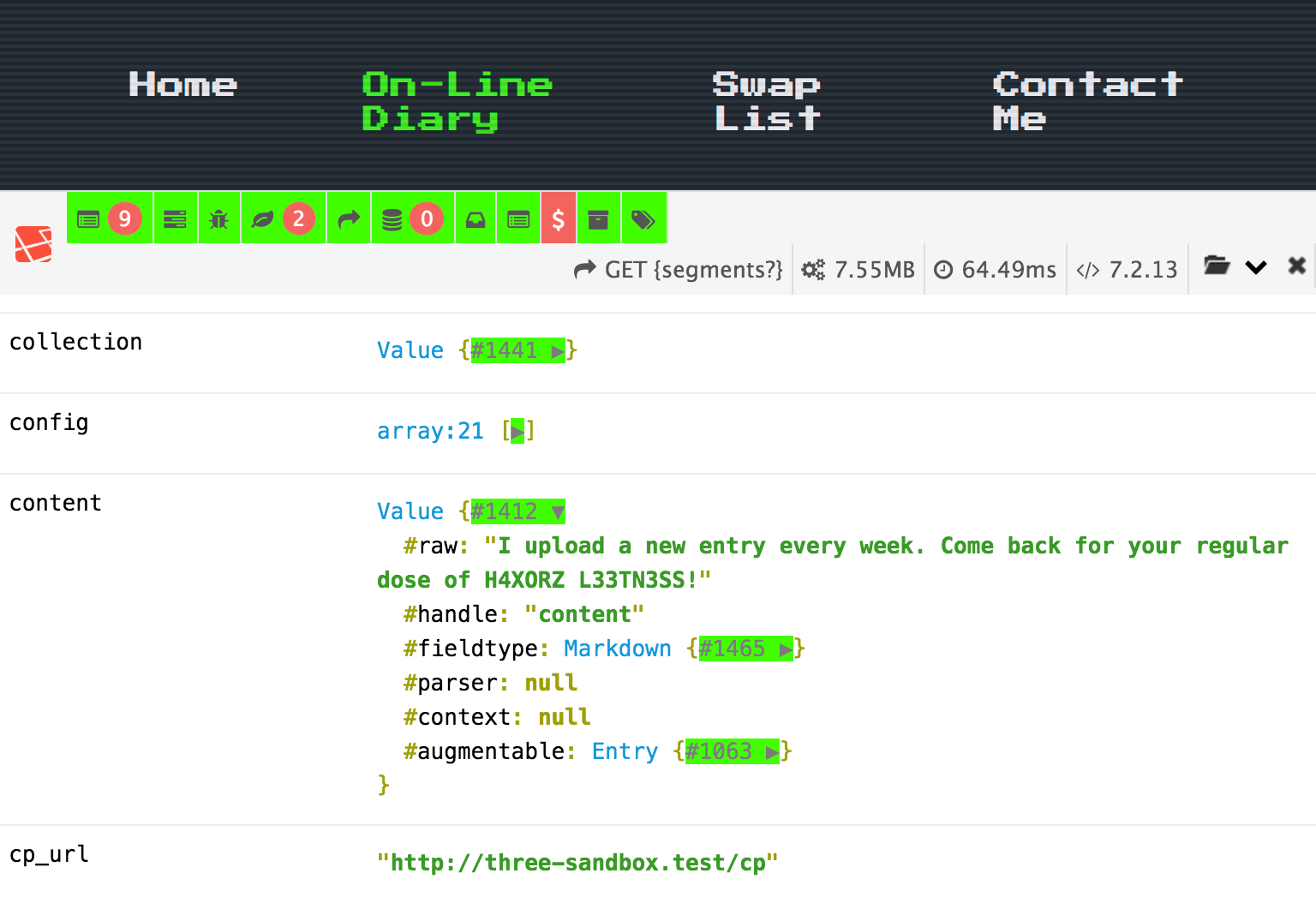
The debug bar is a convenient way to explore many of the things happening in any given page request. You can see data Statamic is fetching, which views are being rendered, information on the current route, available variables, user's session, request data, and more.
<figure>
    <img src="/img/debug-bar.png" alt="Debug bar showing available variables">
    <figcaption>The debug bar is like X-Ray vision into many of Statamic's inner workings.</figcaption>
</figure>

### Benchmarking response times

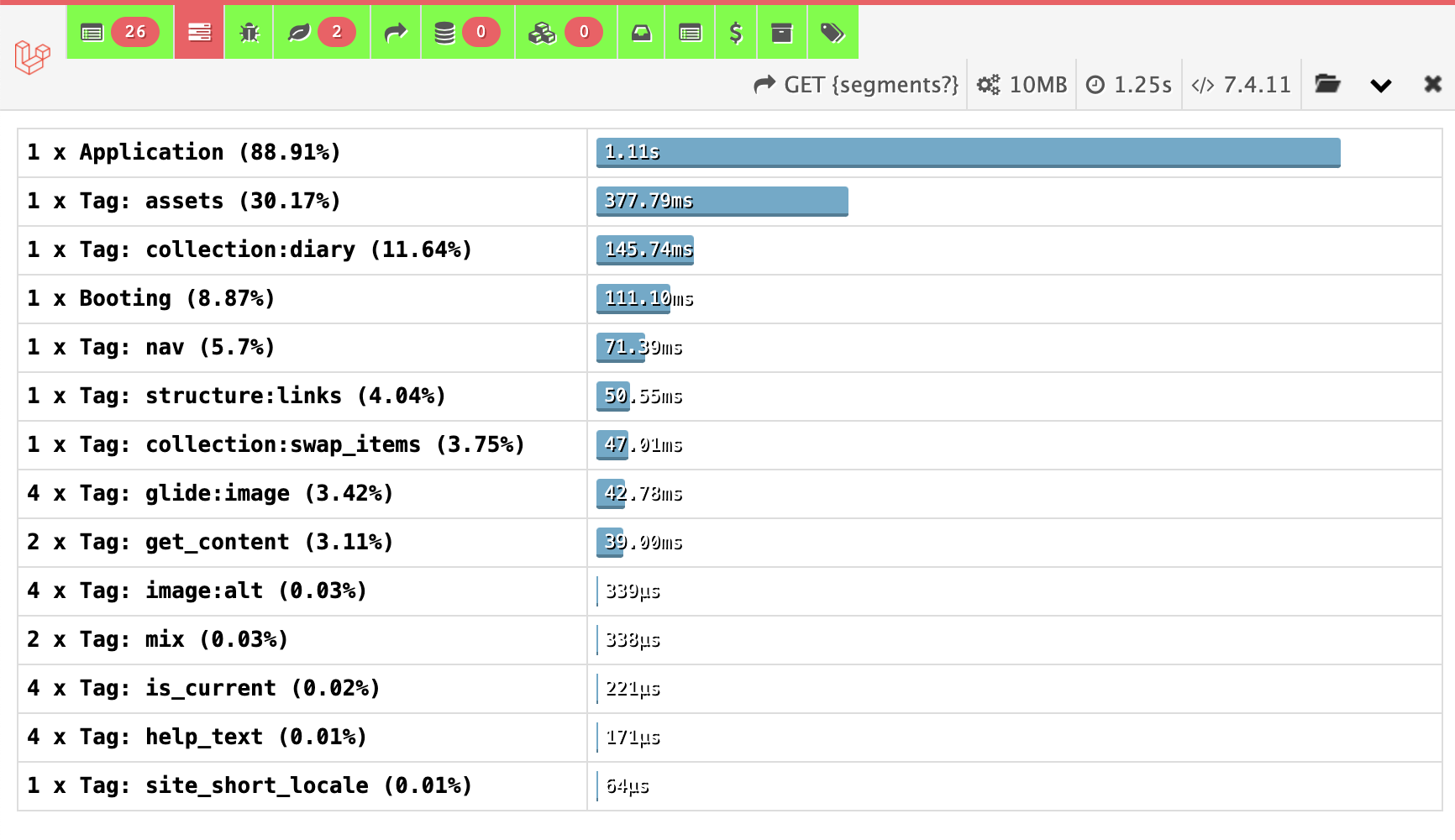
You can see all of the major operations performed on a given page request in the **Timeline** tab, which can help with fine-tuning and performance optimization.

<figure>
    <img src="/img/debug-bar-timeline.png" alt="Debug bar the timeline">
    <figcaption>Slow tags or operations are candidates for caching or indexing tweaks.</figcaption>
</figure>

### Exploring data

Any variables defined in a [blueprint](/blueprints.md) will be shown as a `Value` object in the Variables tab. They can be expanded to see their "raw" original data, as well what fieldtype they're managed by, and their [augmented](/augmentation.md) value.

### How to enable the debug bar

You need to require the package with [Composer][composer].

``` shell
composer require --dev barryvdh/laravel-debugbar
```

And then enable it in your `.env` file:

```env
APP_DEBUG=true
DEBUGBAR_ENABLED=true
```

:::warning
The debug bar injects JavaScript into the page and adds significant overhead server-side work to each request. **Make sure to turn it off when you're testing your site's performance!**
:::

## Dump modifier

When working in [Antlers](/antlers.md) templates, you can slap the [dump modifier](/modifiers/dump.md) onto any variable to explore its contents. Here's an example.

``` yaml
bands:
  good:
    - Goo Goo Dolls
    - Oasis
    - Third Eye Blind
  bad:
    - Creed
    - Hanson
    - The Offspring
```

::tabs

::tab antlers
```antlers
{{ bands | dump }}
```
::tab blade
```blade
@dd($bands)
```
::

``` php
// Dumped output
array:6 [▼
  "good" => array:3 [▶],
  "bad" => array:3 [▶]
]
```

## Logs

Statamic uses Laravel's logging handling system to log messages and errors to file, debug service, or even Slack. The default behavior logs these messages to files stored in `storage/logs`. Each day gets its own separate file so it can feel special (and make it easier to find what you're looking for).

Learn more about [configuring other logging channels](https://laravel.com/docs/logging#configuration) on the Laravel docs.

### Viewing logs in the debug bar

You can enable logs in the Debug Bar in its config file. If you haven't already published the config, you can do so from the command line:

```cli
php artisan vendor:publish --provider="Barryvdh\Debugbar\ServiceProvider"
```

And then enable the "Logs" collector in your new `config/debugbar.php` config file.

```php
'collectors' => [
        ...
        'laravel'         => true, // Laravel version and environment
        'events'          => true, // All events fired
        'default_request' => true, // Regular or special Symfony request logger
        'logs'            => true, // Add the latest log messages [tl! **]
        'files'           => false, // Show the included files
        'config'          => false, // Display config settings
        ...
    ],
```

## Laravel Nightwatch

[Laravel Nightwatch](https://nightwatch.laravel.com) is a monitoring service that captures requests, queries, cache events, queued jobs, and more. It works with Statamic, but because Statamic leans heavily on the cache layer, a default install can burn through your event quota quickly.

See [Using Statamic Alongside Laravel Nightwatch](/tips/using-statamic-with-laravel-nightwatch.md) for recommended filters to keep your event volume under control.

## Laravel Telescope

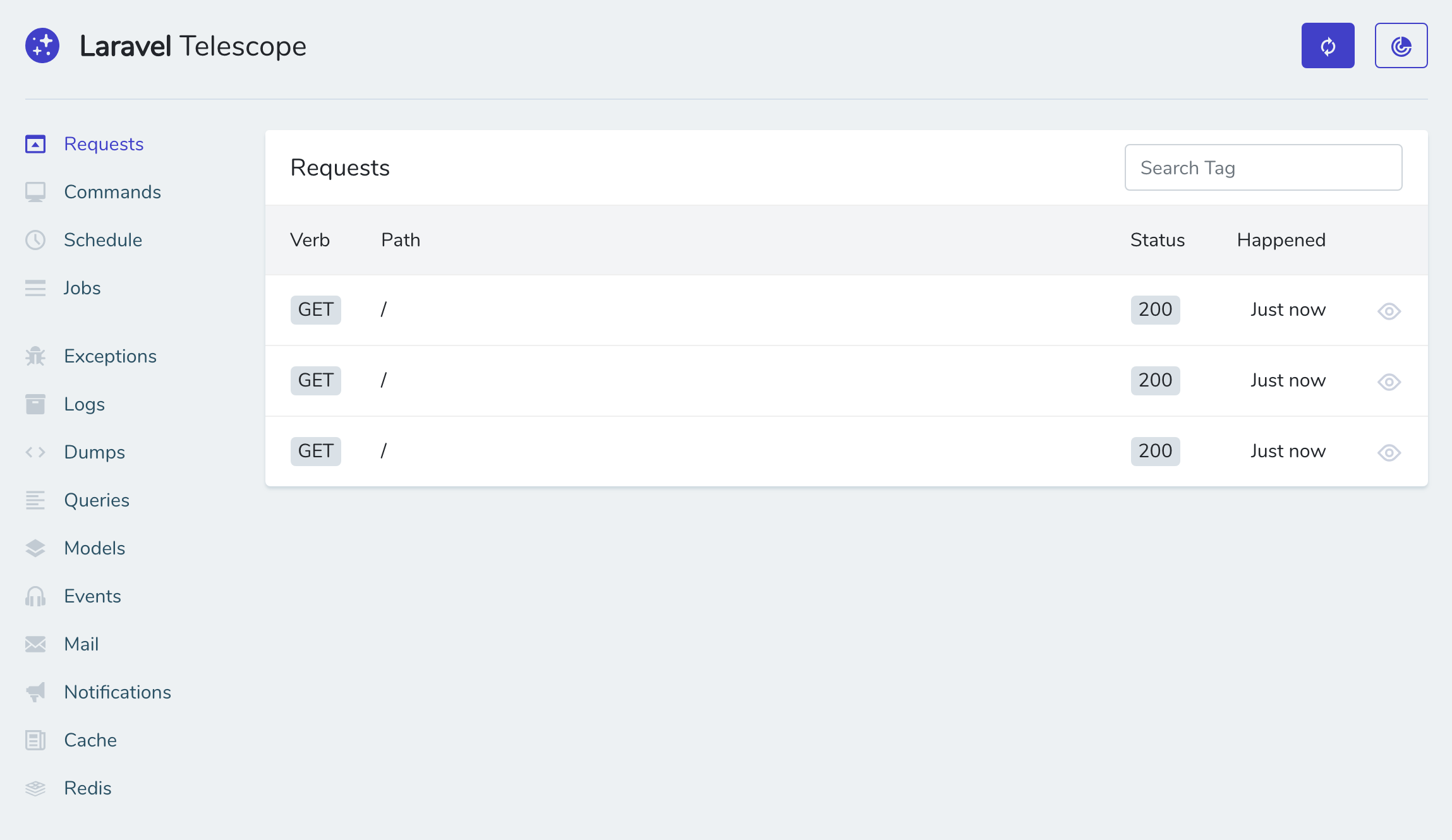
Statamic supports [Laravel Telescope][telescope], an elegant debug assistant for the Laravel framework. It's most useful when you're building addons or doing custom Laravel things outside the normal Statamic site scope.

Follow along with Laravel's documentation and you'll (probably) be up and running in no time.

<figure>
    <img src="/img/laravel-telescope.png" alt="Laravel Telescope showing nothing particularly interesting">
    <figcaption>Laravel Telescope in action. But just barely.</figcaption>
</figure>

[composer]: https://getcomposer.org/
[ignition]: https://flareapp.io/docs/ignition-for-laravel/introduction
[telescope]: https://laravel.com/docs/telescope