# Validation
Statamic allows you to validate your data using Laravel's validation system.
## Overview
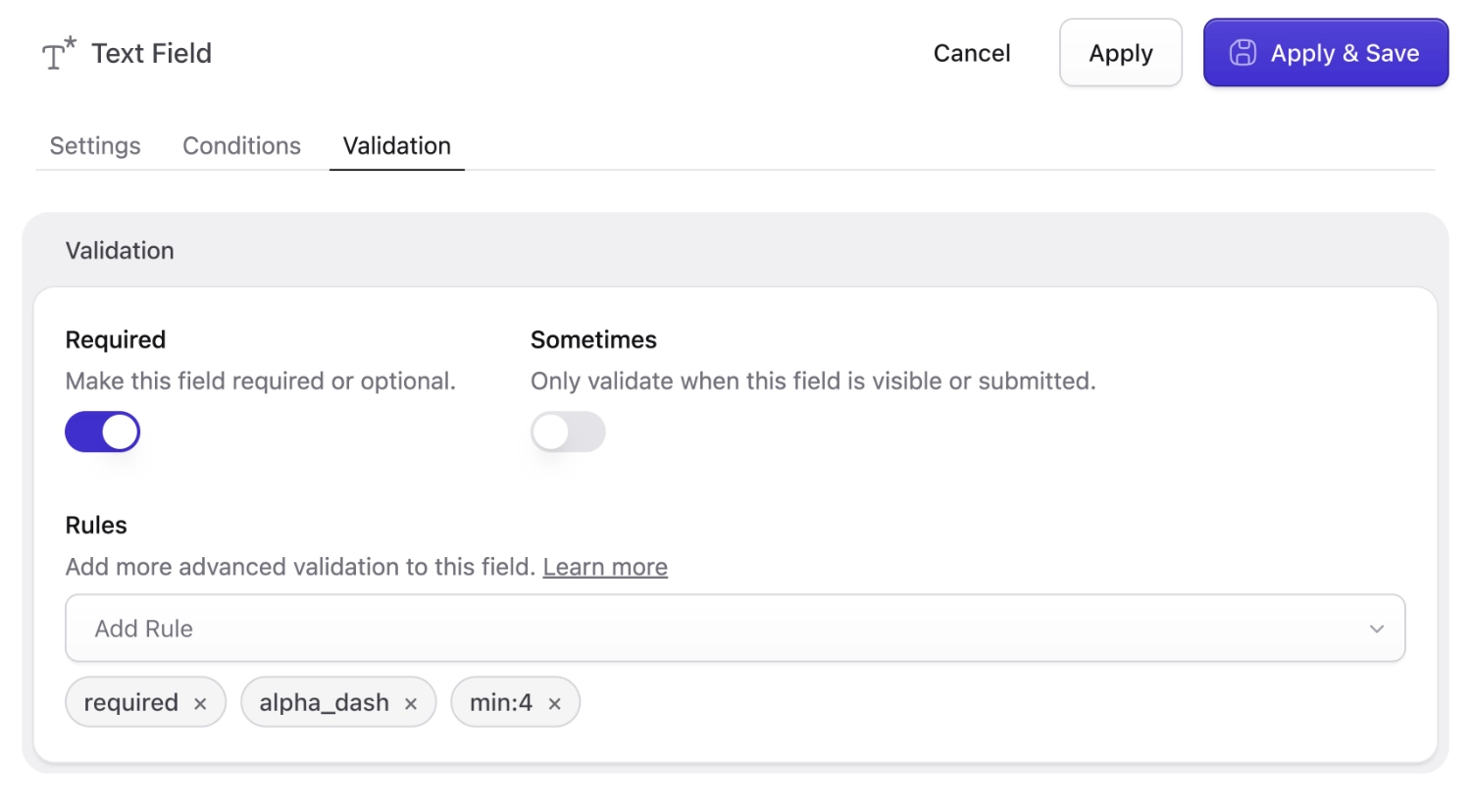
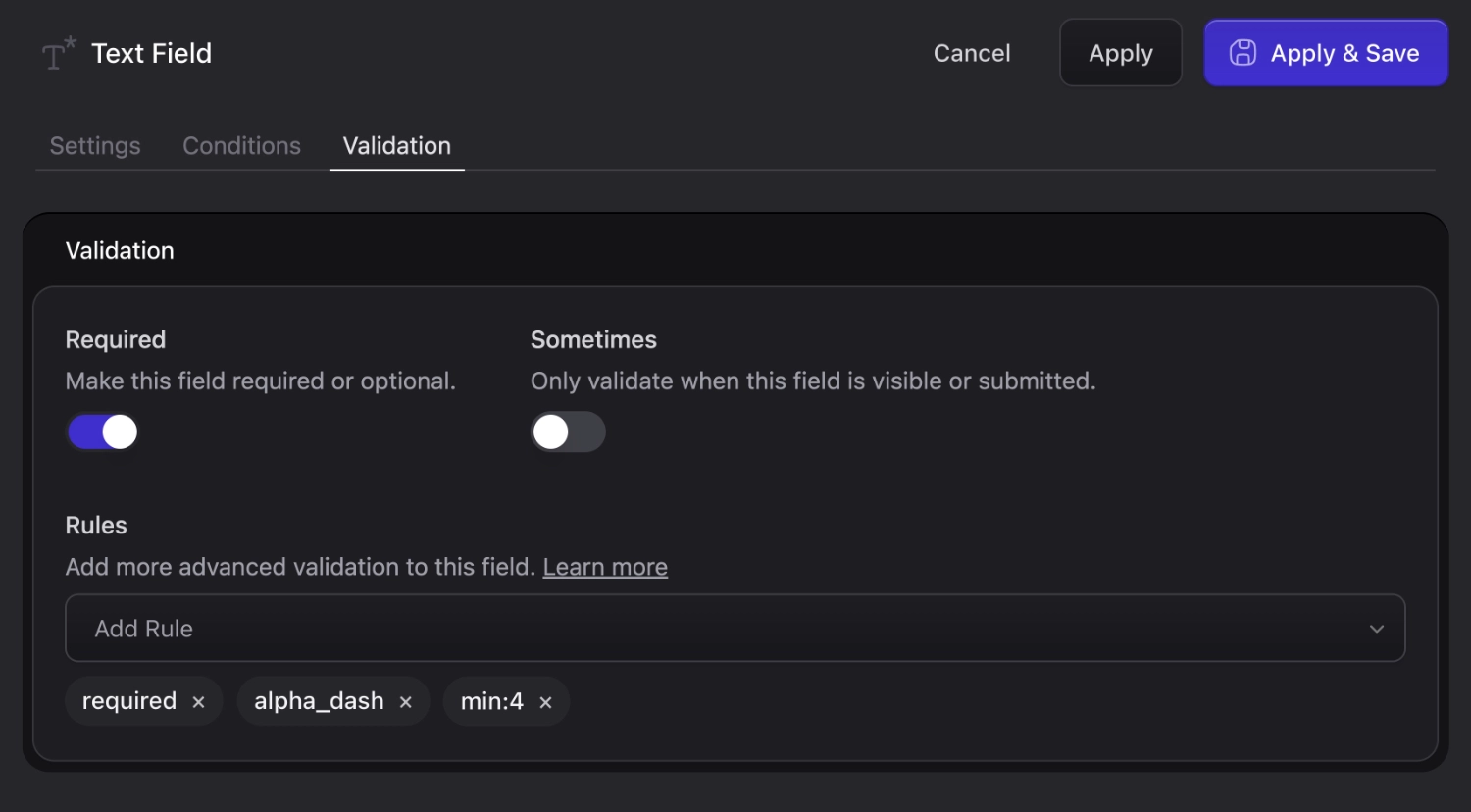
While configuring a [blueprint or fieldset field](/blueprints.md), switch to the **Validation** tab where you can choose from [any built in Laravel rule][laravel-validation].
Add validation rules (with a shortcut for requiring)
In this screenshot, you can see that the field has an `alpha_dash` and `min:4` rule which means you can only type letters and dashes, like a slug, and that it
must be at least 4 characters. You have plenty of options to be creative and confident that your data will be entered the way you need it to be.
Here's a peek at how that YAML is structured.
```yaml
-
handle: your_field
field:
type: text
validate:
- alpha_dash
- 'min:4'
```
:::tip
If you're interested in customizing user password validation, you can read about that [here](/users.md#password-validation).
:::
## Required fields
Being the most common type of validation rule, we give you a shortcut for that. Simply toggle it on, or add `required: true` to the YAML.
## Validating nestable fields
Statamic's [Grid](/fieldtypes/grid.md), [Replicator](/fieldtypes/replicator.md), and [Bard](/fieldtypes/bard.md) fields can all contain sub-fields.
You can add validation to those sub-fields as you would with any top level fields.
However, if you want to use validation rules that target other fields, and the target field is in the same context (e.g. in the same Grid row, or same Replicator set), you may use the `{this}` placeholder. The path to the nested field will be expanded by Statamic for you.
```yaml
-
handle: variations
field:
type: grid
fields:
-
handle: purchasable
type: toggle
-
handle: price
type: integer
validate: 'required_with:{this}.purchasable'
```
This would make sure that the `price` field is only required if the `purchasable` toggle is true within that same set. Without `{this}`, it would be checking for a `purchasable` field at the top level of your form.
:::best-practice
Rather than reaching for `{this}`, you can consider using conditional fields along with the `sometimes|required` rules.
```yaml
fields:
-
handle: purchasable
type: toggle
-
handle: price
type: integer
if:
purchasable: true
validate:
- sometimes
- required
```
:::
## Available rules
### All Laravel rules
You may use any validation rule provided by Laravel. You can view the complete list [on their documentation][laravel-validation]. You may also use [custom rules](#custom-rules).
### Unique entry value
```yaml
-
handle: highlander
field:
type: text
validate: 'new \Statamic\Rules\UniqueEntryValue({collection}, {id}, {site})'
```
This works like Laravel's `unique` validation rule, but for Statamic entries. The rule should be used verbatim as shown above. Statamic will replace the `collection`, `id`, and `site` behind the scenes.
You can then customize the error message right in your `resources/lang/{lang}/validation.php` file, like so
```php
'custom' => [
'highlander' => [
'unique_entry_value' => 'There can be only one!',
]
],
```
### Unique term value
```yaml
-
handle: foo
field:
type: text
validate: 'new \Statamic\Rules\UniqueTermValue({taxonomy}, {id}, {site})'
```
This works like the `UniqueEntryValue` rule, but for taxonomy terms.
### Unique user value
```yaml
-
handle: login
field:
type: text
validate: 'new \Statamic\Rules\UniqueUserValue({id})'
```
This works like the `UniqueEntryValue` rule, but for users.
:::tip
If you want to override the field that is being validated (e.g. in Livewire Form Objects), you can do so by passing a second parameter to the validation rule, such as `new \Statamic\Rules\UniqueUserValue({id}, "username")`.
:::
## Custom Rules
You may use custom validation rules via Laravel's `Rule` objects.
[Documentation on those is here](https://laravel.com/docs/13.x/validation#using-rule-objects).
To references those from your field, you can add them to your `validation` array as if you were writing PHP:
Custom Field validation rules
If you're writing directly into the YAML, make sure to escape any quotes:
```yaml
validate:
- required
- string
- new App\Rules\Uppercase
- 'new App\Rules\AnotherRule(''with argument'')'
```
## Validating programmatically
You may validate programmatically via the blueprint, if you need to do so within custom code.
```php
$values = $request->all();
$valid = $blueprint->fields()->addValues($values)->validate();
$entry->data($valid)->save();
```
The `validate` method would throw a `ValidationException` if invalid and return the appropriate response.
[laravel-validation]: https://laravel.com/docs/13.x/validation#available-validation-rules