Missing Control Panel Assets (Vite manifest not found)
You've just installed Statamic and are ready to jump into the Control Panel. You head to /cp and are met with a Vite manifest not found error.
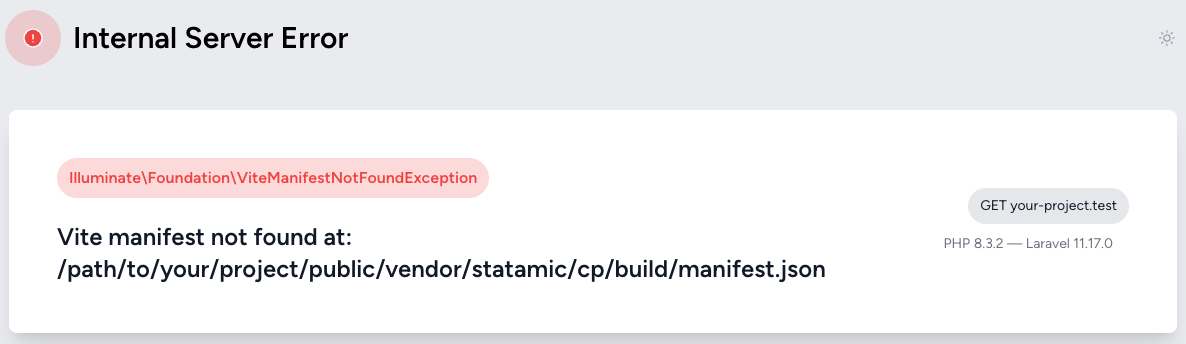
The cause (and the fix) depends on which version of Statamic you're running.
Statamic 6.23 and newer#
As of 6.23 (and 5.74.1 on the 5.x branch), the compiled Control Panel assets are built by our release pipeline and committed right into every tagged release — no Composer plugins, no separate downloads. You can read about why we made that change in Hardening Our Supply Chain Security.
If you're seeing this error on a modern version, the usual suspects are:
You're running a dev branch. Compiled assets are only committed to tagged releases. If your composer.json requires a branch like 6.x-dev (or points at a fork or local clone), there are no compiled assets in the package. Either require a tagged release, or build the assets yourself as described in the contribution guide.
Your vendor directory is incomplete. A failed or interrupted install can leave the package half-there. Force Composer to re-download it:
composer reinstall statamic/cms
Statamic 6.22 and older#
On older versions, the compiled assets were downloaded separately by the pixelfear/composer-dist-plugin Composer plugin during install. If that plugin never runs, the assets never arrive. The most likely reason for this is that you have Composer plugins disabled.
There may be a number of reasons why they are disabled, such as:
- You answered no when it asked if you want to trust the plugin
- You have them disabled in your global composer config
- Your Docker setup doesn't allow them
Regardless, you'll need to enable it.
-
You may explicitly allow it by adding the following to your
composer.json.{"name": "statamic/statamic","require": {},"autoload": {},"config": {"optimize-autoloader": true,"preferred-install": "dist","sort-packages": true,"allow-plugins": {"pestphp/pest-plugin": true,"php-http/discovery": true,+ "pixelfear/composer-dist-plugin": true}},"minimum-stability": "dev","prefer-stable": true} -
Delete the
vendor/statamic/cmsdirectory. This will force Composer to re-download Statamic in the next step.rm -rf vendor/statamic/cms -
Update Statamic
composer update statamic/cms
For Docker specifically, you may be able to avoid this in the future by adding this to your Dockerfile before any composer commands:
ENV COMPOSER_ALLOW_SUPERUSER=1